
Softwarev1.0Public
Chaos Enscape 3D 4.21.0.1088 [Multi]
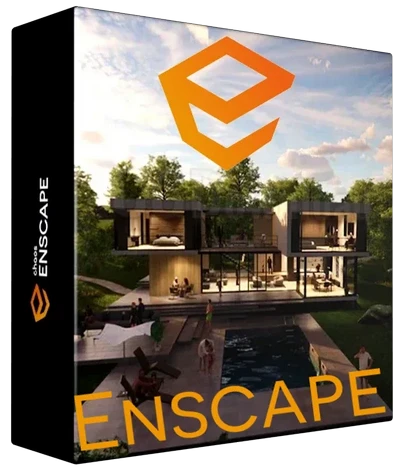
Chaos Enscape 3D 4.21.0.1088 [Multi]
Program version: 4.21.0.1088
Official website: Chaos
Interface language: English, German, French, etc.
Treatment: c included
Medicine type: file replacement
System requirements:
Description:
Enscape 3D is quite powerful software for 3D rendering, plus there is a visualization function and all this is done in real time. This whole thing was created for architects of all skill levels, advanced engineers and construction professionals, all of whom can create stunning 3D models, walkthroughs and VR visualizations of their projects. This plugin easily integrates with popular design tools such as Revit, SketchUp, Rhino, ArchiCAD and Vectorworks, allowing users to visualize their designs in real time without the need to export or import files.
The program offers a number of features that make it a valuable tool for design professionals. One of its key features is its real-time rendering capability, which allows users to instantly see changes to their projects as they are made. This feature significantly reduces the time it takes to create high-quality visualizations because users can quickly make changes to their designs and see the results in real time. Screenshots:
Distribution time: 24/7 (multi-tracker distribution) (at least until the first 3-5 downloaders appear)
Program version: 4.21.0.1088Official website: Chaos
Interface language: English, German, French, etc.
Treatment: c included
Medicine type: file replacement
System requirements:
- Operating system: Windows 10 and higher.
- Video card: NVIDIA or AMD with 4 GB of video memory, supporting Vulkan 1.1.
- RAM: 8 GB or more
- SSD drive
- NET Framework 4.5.2 and higher
- Visual C++ 2015-2019 Redistributable
- Vulkan Runtime
Description:
Enscape 3D is quite powerful software for 3D rendering, plus there is a visualization function and all this is done in real time. This whole thing was created for architects of all skill levels, advanced engineers and construction professionals, all of whom can create stunning 3D models, walkthroughs and VR visualizations of their projects. This plugin easily integrates with popular design tools such as Revit, SketchUp, Rhino, ArchiCAD and Vectorworks, allowing users to visualize their designs in real time without the need to export or import files.
The program offers a number of features that make it a valuable tool for design professionals. One of its key features is its real-time rendering capability, which allows users to instantly see changes to their projects as they are made. This feature significantly reduces the time it takes to create high-quality visualizations because users can quickly make changes to their designs and see the results in real time.
The software gives you the opportunity to create exciting VR projects. With just one click, users can export their designs to virtual reality, allowing clients and stakeholders to explore their designs in a virtual environment. This feature provides an innovative and fun way for clients to experience their designs and get a better idea of how the project will look and feel in real life
The program offers a range of rendering options, including photorealistic rendering, stylized rendering and various lighting options to help users achieve the desired look and feel of a project. The software also includes a library of pre-built assets, such as furniture and vegetation, that can be easily added to projects to enhance their realism.
The application is very intuitive with a simple and user-friendly interface that allows users to easily get started and create high-quality visualizations and VR projects. In addition, the program has an extensive library of tutorials and documentation to help users master the program and get the most out of its capabilities.
Overall - once installed, you will find truly powerful and user-friendly 3D rendering and visualization software that gives design professionals the tools they need to create stunning and immersive projects. Real-time rendering capabilities, VR export and an easy-to-use interface make it a valuable tool for architects, engineers and builders looking to bring their projects to life.
Revit 2024, 2025, 2026, 2027
SketchUp 2024, 2025, 2026
Rhino 7.0 and 8.3 (or later)
Archicad 27, 28, 29
Vectorworks 2024, 2025, 2026, 2027
Improvements
Cosmos: AI Assets Generator (Beta) – upload a reference photo and Enscape generates a textured 3D model from it, ready to place and edit directly in your scene like any other Cosmos asset. To reuse it later, find it under Downloaded > 3D Models > AI-Generated.
Rendering Performance: Ray-traced sun shadows and artificial lights now share their acceleration data instead of duplicating it, cutting GPU memory use and speeding up navigation and exports in complex scenes.
Renderer Host: Added a clearer loading message showing how many missing assets are being downloaded (X of Y) instead of leaving the progress bar looking stuck.
Custom Asset Library: Clarified the Configuration dialog in the Custom Asset Editor with clearer directory guidance and warning messages.
Cosmos: Cosmos Browser now starts automatically in the background when needed, removing a manual step.
Cosmos: Enscape now automatically detects and re-downloads Cosmos assets that are missing or only partially downloaded.
Chaos Assistant: Renamed Mood Match to Sky Match throughout the Chaos Assistant.
Version Compatibility: Enscape now warns when a CAD is running a beta/preview version, or a released version it doesn't fully support yet, with an option not to show the warning again.
Artificial Lights: Light icons for lights culled by a section box are now hidden instead of cluttering the view.
Rasterization: Reduced GPU memory usage for scene geometry by up to ~40% by allocating only the vertex data a model actually needs, freeing up memory for larger, more complex scenes.
Gridlines: Gridlines now use procedural lines instead of a stretched texture overlay, fixing distortion in non-16:9 aspect ratios such as portrait mode.
Capturing: Reduced peak memory usage during high-resolution image captures by reusing render targets more efficiently.
Vectorworks: Added support for Vectorworks 2027, including compatibility with its new OpenPBR material system.
SketchUp: Added preliminary support for the SketchUp 2027 Beta.
Fixed Bugs
Capturing: The .exe Standalone export now shows an error toast if the export was not successful.
Capturing: Fixed image rendering of the Current Camera using the wrong settings on export.
Capturing: Fixed Batch Rendering order differing from View Management.
Light Management: Light name changes in Archicad are now reflected in Enscape.
Material Editor: Fixed the wrong material being selected in the Material Editor after importing an AI-generated material.
Material Editor: Fixed the Material Editor not reading 100% glass opacity correctly.
Material Editor: Fixed the Material Editor again becoming unresponsive for a few seconds after replacing a material.
Asset Library: Fixed the Cosmos Asset Page resetting when switching tabs.
Asset Library: Fixed Enscape staying on the loading screen indefinitely when an asset package never finished downloading.
V-Ray Scene Export: Fixed some geometry missing from Revit railing and line families in the .vrscene export.
View Management: View Management now stays open when selecting a view from another document.
Site Context: Removed an error message that appeared when no values were provided to the Site Context translation.
Site Context: Fixed hiding a single element in Site Context breaking hiding/selection.
Site Context: Fixed Site Context placing surroundings next to the model instead of around it when the model footprint was rotated on the map.
Site Context: Fixed the Rotate slider in Edit Site Context turning the site context around its own center, which moved the model off its plot.
Enscape Impact: Fixed mouse clicks other than the left button selecting geometry.
Enscape Impact: Fixed the Thermal Comfort room type selector missing recommended types.
Enscape Impact: Fixed a hovered room and a selected room using the same highlight color, making deselection hard to notice.
Cosmos: Fixed an error when opening a project with too many assets.
Standalones: Fixed exported standalones failing to open due to an unsupported window icon.
Chaos Assistant: Fixed a crash caused by repeatedly clicking the Chaos Assistant button before it had opened.
Chaos Assistant: Using a safe frame no longer displaces assets imported from the Chaos Assistant.
Installer: Fixed the language selected during installation not being applied to Enscape and the CAD menus.
Notification Center: Fixed a silent background crash in the Notification Center.
Asset Placement: Fixed orbiting around a room in Enscape Impact accidentally selecting it.
Asset Placement: Fixed light icons not responding to geometry changes unless the camera was moved.
Asset Placement: Fixed clicking an asset's edit gizmo sometimes selecting a different asset behind it.
Artificial Lights: Fixed GPU memory not being freed when ray-traced artificial lights or sun shadows were automatically disabled due to full memory.
Artificial Lights: Fixed the brightness of very small sphere lights when using ray-traced artificial lighting.
Artificial Lights: Fixed a brightness issue with ray-traced artificial lights when emissive materials were used.
Artificial Lights: Fixed inconsistent lighting when ray-traced artificial lights were disabled after exporting an image.
Spectator: Fixed broken camera movement after some window resizes with DLSS enabled.
Window System & Input: Fixed extreme camera movement on frame delays.
Revit: Fixed the Render Image (Into Document) command logging an error even though the image was saved correctly.
SketchUp: Fixed SketchUp becoming progressively slower when repeatedly editing a linked model placed using the Enscape Objects dialog.
SketchUp: Fixed an exception that could appear when a SketchUp page was erased via code and no page remained selected.
Vectorworks: Fixed a material's roughness and bump textures being applied to the wrong channels, causing surfaces to look bumpy or shiny in the wrong places.
Distribution time: 24/7 (multi-tracker distribution) (at least until the first 3-5 downloaders appear)
Download